Essential Game Repair Tips for Beginners
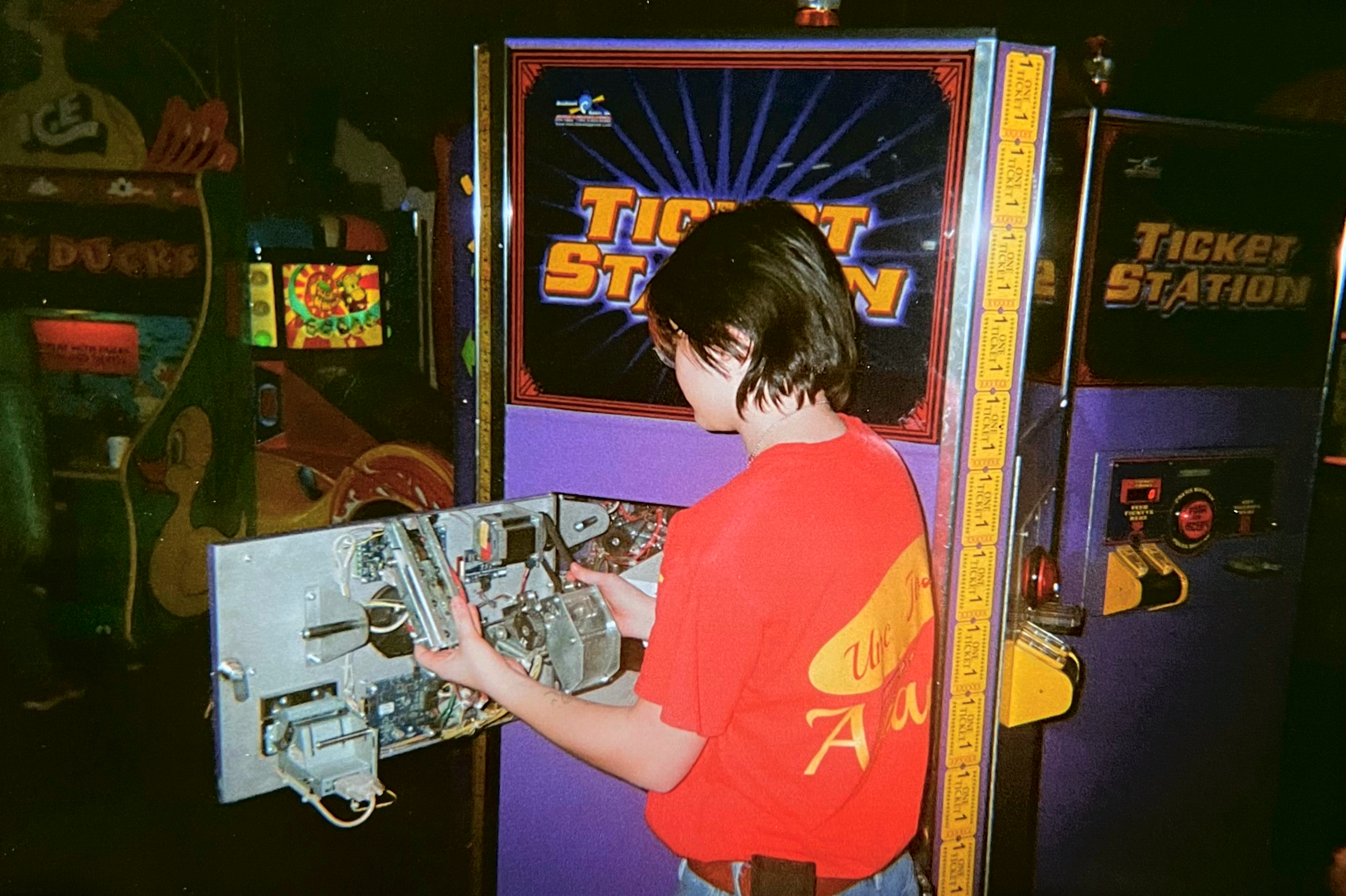
Arcade games have a special place in the hearts of many--whether you grew up playing them in Chuck-E-Cheese, are a casual enjoyer, or have just recently acquired a brand new game for your basement. For those if the latter category, knowing how to do basic maintenance on these machines can definitely save you some money. Today, l'll walk you through some super basic, essential tips that everyone should know!

Understanding Your Arcade Game
Before diving into a repair, you really should understand the basic components of your game. Most (read: not all, double-check yourself!) arcade machines will have some combination of:
Monitor: Displays the game graphics (usually on video games, not things like Down the Clown, claw machines, etc). Most redemption games use modern LCD monitors, but you'll definitely encounter CRTs on older cabinets!
Control Panel: Houses the buttons, joysticks, and all the fun player-focused doohickies.
Power Supply: Provides electricity to the machine.
Motor: Simple enough. It makes the moving parts move! They come in all different types, but replacements can usually be found pretty easily (now pricing is a different story...)
Motherboard: The brain of the game. All roads lead back to here.
Coin Mech/Card Reader Unit: Accepts payment for your play--nothing is free in this world, kids.
Ticket Mech: Dispenses tickets after the game. You'll only need to deal with these if you're working with a redemption game (not your grandpa's basement pinball)
All jokes aside, familiarizing yourself with these parts will make diagnostics much easier.

Common Issues and Their (hopefully easy) Solutions
These are issues with the main components I listed above. Each game will have its own common problems like blocked sensors or issues with moving components. Won't get into those because they're specific to your machine! But if you've got a question about a specific game and I have an answer (not guaranteed)--feel free to comment!
Monitor Problems
What's Happening: Flickering screen, no display, or distorted images.
Try This!
Check Connections: Make sure all your cables (HDMI, audio, power connector, etc) are secure. Loose connections can cause display issues.
Adjust Settings: Use the monitor’s built-in settings to adjust brightness, contrast, and other parameters--they might've gone out of whack.
Replace Parts: If the monitor is still not working, you may need to replace the CRT or LCD panel. This can be a more advanced repair, so check with a professional if you're unsure. Even so, you might also just need a small part rather than a whole new monitor--work smarter, not harder!
Control Panel Malfunctions
What's Happening: your button smashing and joystick twirling isn't doing anything!
Try This!
Inspect Wiring: Open the control panel and check for loose/damaged wires. This part of the game usually takes the most beating from players, so pay extra attention here!
Clean Contacts: Dust and grime can build up on the buttons and joysticks (sticky fingers make sticky parts). Use contact cleaner or some compressed air to clean the connections.
Replace Parts: Usually what you'll need is the switch itself if it's gone bad, but somtimes the button itself might've cracked and isn't making contact. These are usually both good spare parts to have on hand.
Power Supply Issues
What's Happening: Your game won’t turn on and/or resets unexpectedly.
Try This!
Check the Fuses: A blown or loose fuse, in my experience, makes up a good 70% of my problems. DEFINITELY have some of these on hand to replace when needed.
Test Voltage: Use your multimeter to check the voltage output of the power supply. If it’s not within whatever range is needed for the machine, you might need to swap it out.
Inspect Wiring: Look for frayed or damaged wires connecting to and from the power supply that could cause power issues.
Motherboard Problems
What's Happening: Game freezes, crashes, or displays software error messages.
Try This!
Reboot the System: Sometimes a simple reboot can resolve temporary glitches. (*sigh* "Did you turn it off and back on??")
Check Connections: Make sure all connections to the motherboard are secure (I feel like I'm repeating this a lot, but it really is a super common problem across all components).
Update Software: If your game allows for software updates, make sure you've got the latest version that can be supported.
Coin and Ticket Jams
What's Happening: Coins not registering or tickets not coming out.
Try This!
Disassemble to Clear:
For Coin Mechs: Open the coin mechanism and carefully remove any jammed coins. I usually use a thin, 3" knife to get into the small crevices. Coin mechs come in all shapes and sizes, so make sure you know your coin mech well (how to disassemble for jams/know what diameter coin it will accept)
For Ticket Mechs: Similar to above, but know your ticket mech. Most contain a release bar to pull and/or a flat "tongue" at the top that you can remove to get jams out easily. These also come in many shapes and sizes, so make
Not Jammed? Check Your Switches and Gears: The switch on your coin mech may have died, is positioned incorrectly, or is not getting power through the connections. For ticket mechs, the plastic gears can wear down over time--might be worth playing dentist and checking their teeth!
THINGS You Need!
Having the right tools can make repairs much easier. Here’s a list of essential tools (outside of the obvious duct tape, super glue, and WD40):
Drill with Drivers & Sockets: A good drill will never let you down--choose wisely (I'm a DeWalt truther, myself).
Multimeter: To testing voltage and continuity. If it's not getting enough power, you know where your problem is!
Wire Cutters/Strippers/Pliers: Useful for repairing or replacing wires.
Compressed Air: To clean out your connections. Dust is the real killer, folks.
Replacement Parts: Keep a stock of common parts like buttons, joysticks, and fuses. And, of course, bolts and screws and the like!
Small, Flat Knife: Sounds strange, I know. But I really have not found a better tool for clearing coin jams in a pinch. Use a non-expensive one that you don't mind taking a beating--it will get dull quick.
And above all: FOR THE LOVE OF GOD, DON'T THROW AWAY YOUR MANUALS!
Safety First
When working on arcade machines, safety should always be your top priority. Here are some safety tips to keep in mind:
Cut the Power: Always turn off the arcade game before performing any repairs to avoid electrical shock or getting stuck in a motor. Take this advice from someone who's been stuck inside a skeeball machine when someone decided to start playing it. You can either unplug/switch it off from the back, or hit the power switch usually located inside.
Use the Right Tools: Yes, sometimes you have to make due with what you've got. But if you have the proper tool, use it. Don't want any mishaps.
Watch Your Hands: Pay attention to what you're doing. It's easy to get fingers stuck in potentially moving parts, or cut yourself on a sharp piece of metal.
Routine Maintenance
Regular maintenance can prevent a lot of common issues. Here are some tips to keep your game in good shape:
Dust Regularly: Like I said--dust is the real killer! You can use a cloth to wipe or compressed air to blow out a dusty machine.
Keep the Cabinet Clean: Wipe down the exterior of the cabinet to keep it looking good and prevent any corrosion (this is especially true for beachside arcades).
Keep Logs: Depending on how often you need to fix the game, it's a great idea to keep a log of any repairs/replacements performed on the machine that you can reference later.

All in all...
Repairing arcade games can be a great skill that not only saves you money, but also deepens your appreciation for these machines! By understanding common issues, having the right tools, and practicing regular maintenance, you can keep your game running smoothly for years.
Remember--every repair is a learning opportunity. Don’t hesitate to dive in!


bestie’s lil arcade blog, my gamer heart is so proud ❤️
Nice job, Morgan! Your blog is very much informative and helpful!!! Keep up with the good work! 👍👏👏👏